
Introduction
For Managed Service Providers (MSPs) and Managed Security Service Providers (MSSPs), the daily workload is relentless. Every day, tickets pile up, endpoints require updates, patches must be applied, backups need verification, and clients demand immediate responses. The sheer scale and repetition of these tasks make human error not just possible but inevitable.
Automation is no longer a futuristic concept or a luxury for the largest providers. It is the practical, immediate solution that empowers MSPs to deliver faster, more accurate, and more profitable services without adding headcount. In this article, we explore why automation is essential, where it delivers the most impact, and how MSPs can successfully implement it to drive growth in 2025 and beyond.
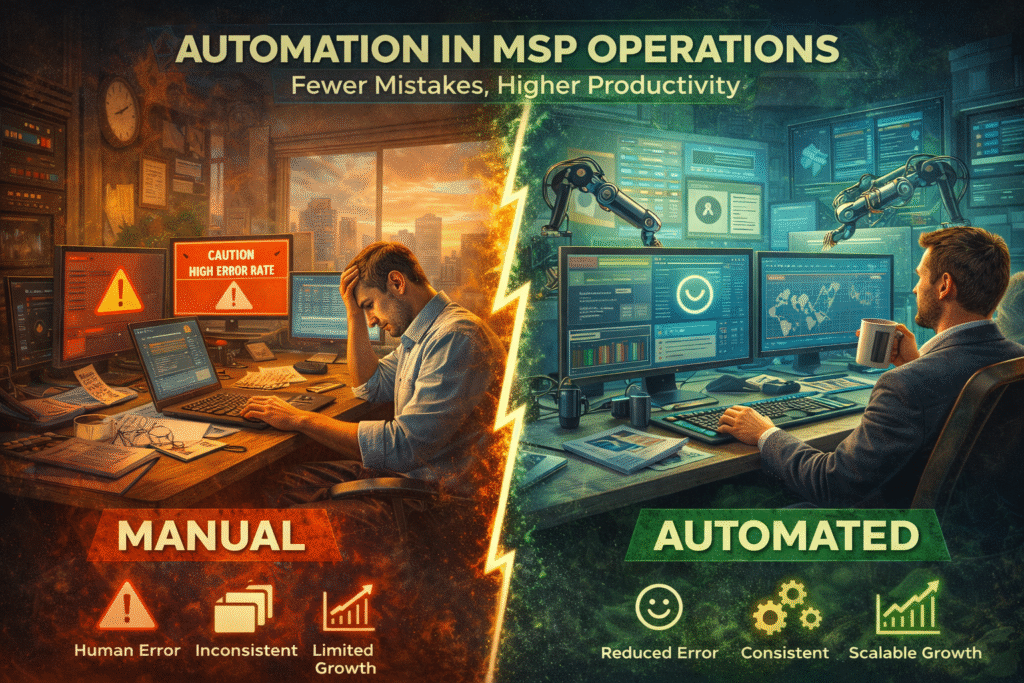
Why Manual Processes Fail
Before automation, most MSPs relied on manual workflows: technicians triaging tickets by hand, IT staff pushing patches machine by machine, or administrators creating user accounts one at a time. While workable at small scale, manual processes create three systemic problems:
- Human Error – Even well-trained staff make mistakes when performing repetitive tasks under time pressure.
- Inconsistent Delivery – Two technicians may resolve the same type of issue differently, resulting in uneven client experiences.
- Scalability Limits – Growth stalls when each new client requires a proportional increase in staff.
In today’s environment, where clients expect enterprise-grade service at SMB budgets, manual operations are unsustainable.
Where Automation Delivers the Greatest Value
- Ticket Management
Automation can classify, prioritize, and route tickets the moment they arrive. For example, password reset requests can automatically trigger scripts, while high-severity alerts are escalated instantly to the right technician.
Impact: Reduced Mean Time to Acknowledge (MTTA) and faster resolution of routine tickets.
- Patch and Update Management
Instead of scheduling patches machine by machine, automation applies them across entire client environments overnight. Failed patches trigger alerts for technician review.
Impact: Higher compliance rates, reduced vulnerabilities, and less manual labor.
- Client Onboarding
User account creation, permissions setup, email configuration, and endpoint enrollment can all be automated through predefined workflows.
Impact: Faster time-to-value for new clients and reduced risk of onboarding errors.
- Recurring Maintenance
Backups, antivirus scans, system health checks, and log reviews can be run automatically at set intervals.
Impact: Consistency and assurance that critical tasks are never missed.
- Reporting and Compliance
Automated reporting tools generate real-time dashboards and scheduled client reports, proving value without staff needing to manually compile data.
Impact: Strengthens trust and simplifies compliance audits.
Business Benefits of Automation
Reduced Human Error
Every step removed from manual execution reduces the chance of mistakes. For instance, automating license tracking ensures billing accuracy and eliminates undercharging.
Faster Service Delivery
Automated workflows resolve simple issues instantly and free technicians to focus on complex, higher-value work. This shortens Mean Time to Resolve (MTTR) and improves SLA compliance.
Scalable Growth
By standardizing tasks, MSPs can serve more clients with the same number of employees. This creates operational leverage—a key driver of profitability.
Client Satisfaction and Retention
Consistency builds trust. When clients know issues will be resolved quickly and proactively, their confidence grows, reducing churn risk.
Implementation Roadmap
Step 1: Identify High-Frequency, Low-Value Tasks
Audit your team’s daily workload and rank tasks by volume and repetitiveness. Password resets, ticket triage, and routine patches are prime candidates.
Step 2: Document Processes (Runbooks)
Before automation, document how tasks are performed manually. This ensures the automated version follows best practices and reduces exceptions.
Step 3: Build Playbooks in PSA/RMM Tools
Use your Professional Services Automation (PSA) and Remote Monitoring and Management (RMM) platforms to create automated workflows. Most leading tools now include drag-and-drop automation builders.
Step 4: Pilot and Iterate
Start with a limited set of clients or tasks. Gather metrics (resolution times, error rates) and refine workflows before rolling out broadly.
Step 5: Train Staff to Work with Automation
Technicians should transition from “doers” to “overseers.” Instead of manually executing every step, they monitor automation logs, handle exceptions, and continuously optimize workflows.
Key Metrics to Track
- Tickets Closed per Technician per Day – Should increase as automation reduces manual workload.
- Mean Time to Resolve (MTTR) – Should decline significantly with automated triage and remediation.
- Automation Resolution Rate – Percentage of tickets resolved without technician involvement.
- First Contact Resolution (FCR) – Increased automation supports higher FCR, a key client satisfaction metric.
Case Study: An MSP’s Automation Journey
A mid-sized MSP in Europe serving 150 clients struggled with delayed ticket responses and high staff turnover. After implementing automation across ticket triage, patch management, and reporting:
- Tickets closed per technician rose by 35%.
- MTTR dropped from 11 hours to 3.5 hours.
- Client satisfaction scores increased by 22%.
- Staff reported less burnout and more time for strategic projects.
The MSP’s CEO described automation as “the difference between treading water and scaling confidently.”
Overcoming Resistance to Automation
Despite the clear benefits, some staff and even clients resist automation. Common objections include:
- “Automation will replace jobs.” In reality, automation eliminates repetitive tasks, allowing staff to focus on higher-value work.
- “Clients prefer the human touch.” Automation doesn’t replace relationships — it enhances them by ensuring consistent service and freeing staff for consultative conversations.
- “It’s too complex to implement.” Most PSA/RMM platforms now offer prebuilt templates and guided workflows, making adoption easier than ever.
The key is communication: explain to staff and clients that automation is not about replacing people but empowering them.
The Strategic Role of Automation in 2025
In 2025, automation is no longer optional for MSPs and MSSPs. It is the foundation of scalable, profitable operations. Providers that continue to rely on manual processes will face growing costs, higher error rates, and unsustainable client expectations.
By contrast, providers who embrace automation will:
- Deliver faster, more consistent service.
- Reduce churn through reliability and transparency.
- Unlock growth without proportional increases in payroll.
- Position themselves as modern, data-driven partners.
Conclusion
Automation is the great equalizer for MSPs. It levels the playing field by allowing smaller providers to compete with larger ones, and it ensures that growing providers can scale without collapsing under their own weight. By identifying repetitive tasks, building automated workflows, and tracking results, MSPs can transform daily operations into a competitive advantage.
The providers who thrive in 2025 will not be those who work the hardest, but those who work the smartest — and automation is the smartest move an MSP can make.